A peaceful pause during the day
Notice how
you're actually
doing.
Moments asks two small questions — what are you doing, and how are you feeling — with a quiet, semi-random reminder. Answering takes seconds. Over days, a quiet picture of your rhythms takes shape. No accounts, no analytics, no ads.

A quiet, native iPhone app
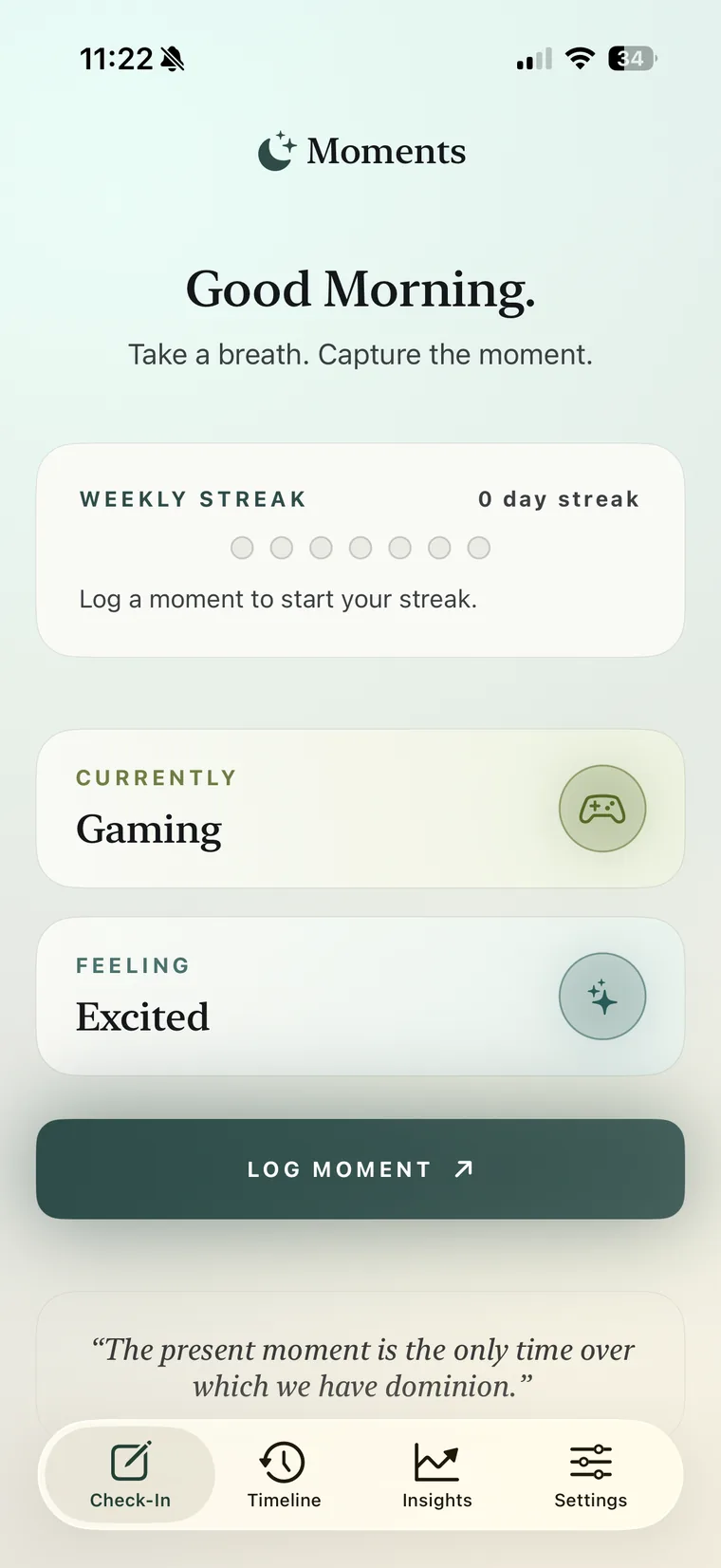
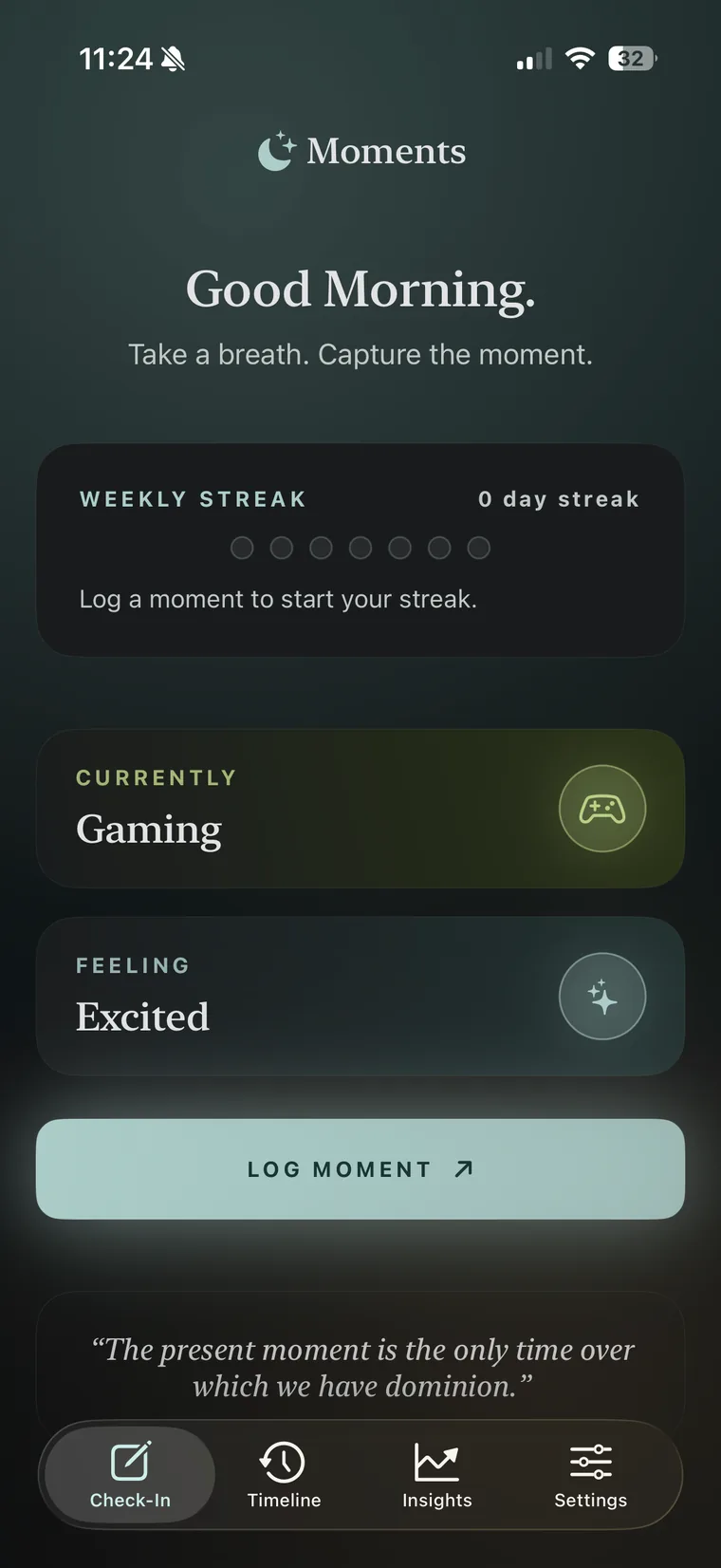
Built to feel like a breath.
Warm paper surfaces, editorial type, and lots of room to think. Four screens, no clutter — log a moment, look back, and notice the patterns.
The whole loop
A check-in takes about five seconds.
Pick what you're currently doing and how you're feeling, then log it. The colour follows the mood's energy band — the same five bands the app uses to colour your week. Try it below; it's just a taste, nothing leaves this page.
Currently
Feeling
What's inside
Calm by design, useful by default.
-
Two small questions
What are you doing, how do you feel. Ten moods, eleven built-in activities, and your own custom ones — unlimited.
-
Quiet reminders
Semi-random nudges that respect your quiet hours. Choose Off, Gentle, Balanced or Attentive — never spammy.
-
A reminder to pause
A semi-random notification is a small invitation to check in and notice how you're doing — never a buzz demanding attention or a streak to defend.
-
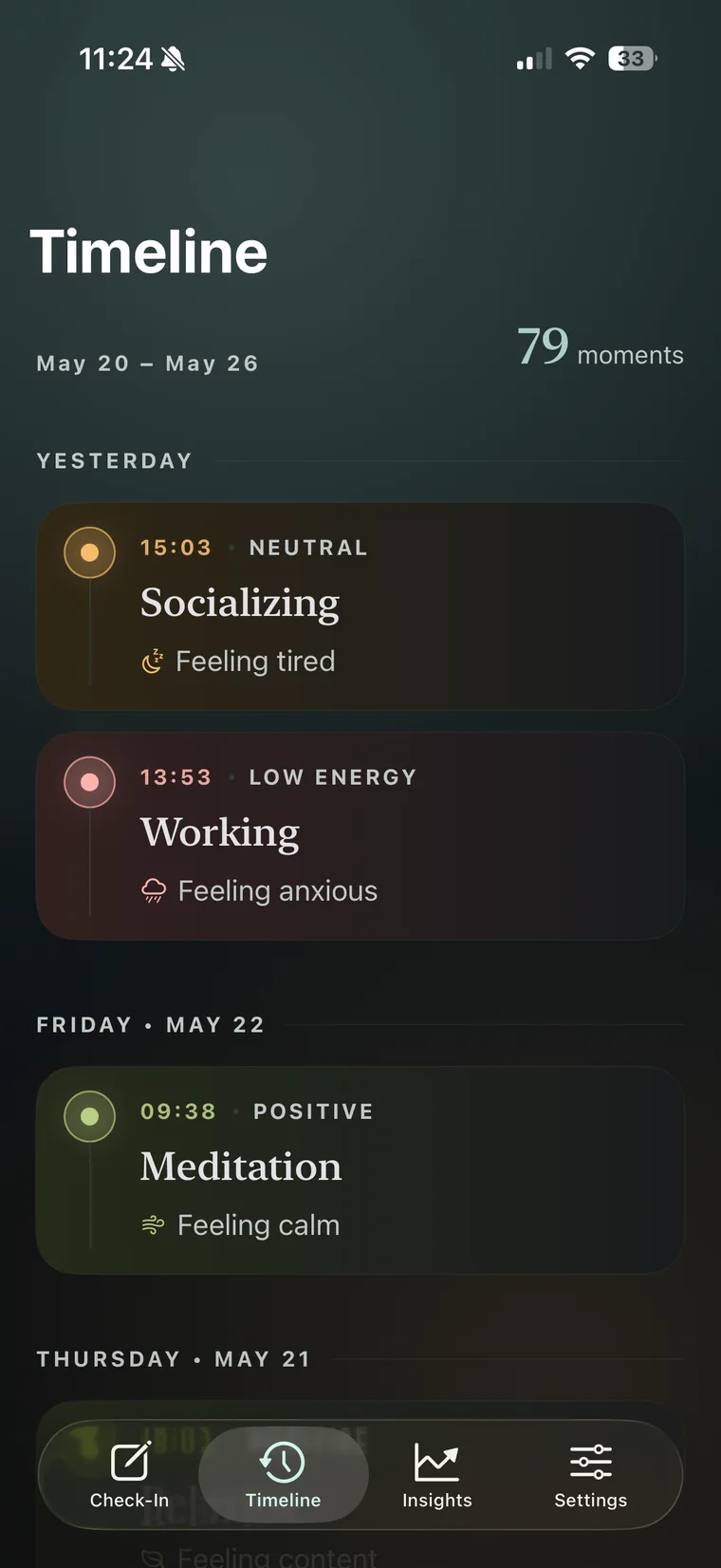
A timeline, not a feed
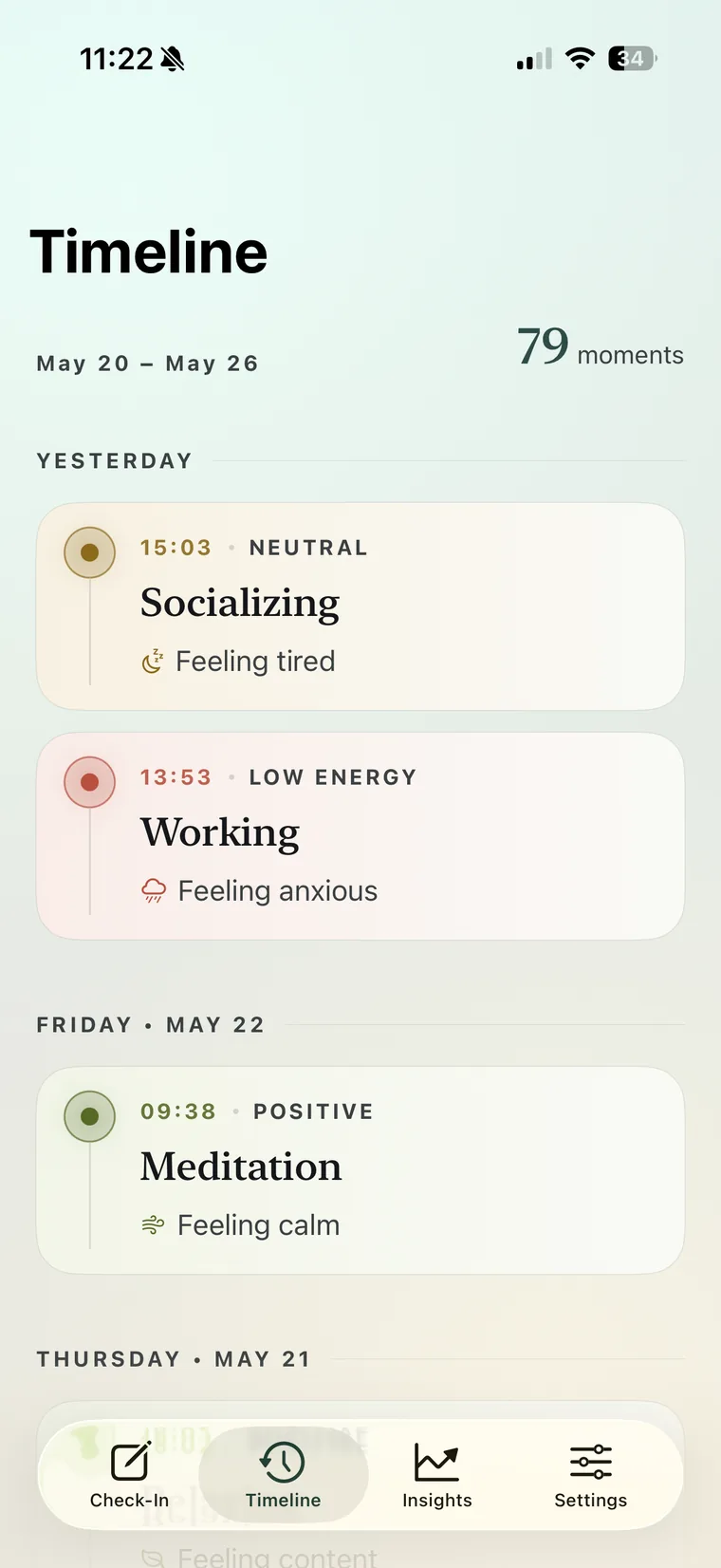
Every moment, grouped by day with recent highlights. Unlimited history, always visible. Nothing to scroll-bait you.
-
Quiet insights
Weekly trends, soft observations and time-of-day patterns — observational, never diagnostic or prescriptive.
-
Private by design
No accounts, no servers, no analytics SDKs. Your moments live on your device — and only sync through your own iCloud.
The intelligence layer
A week, quietly read back to you.
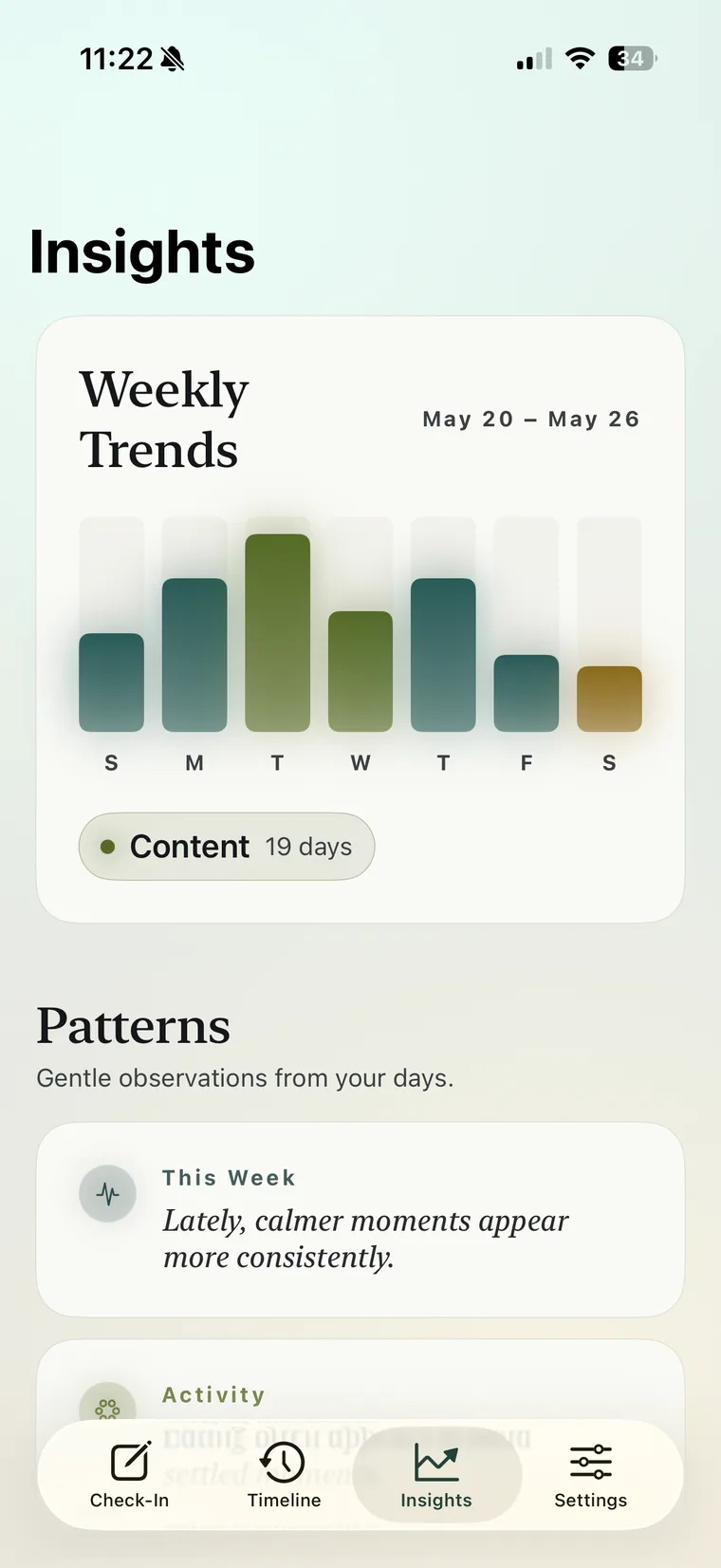
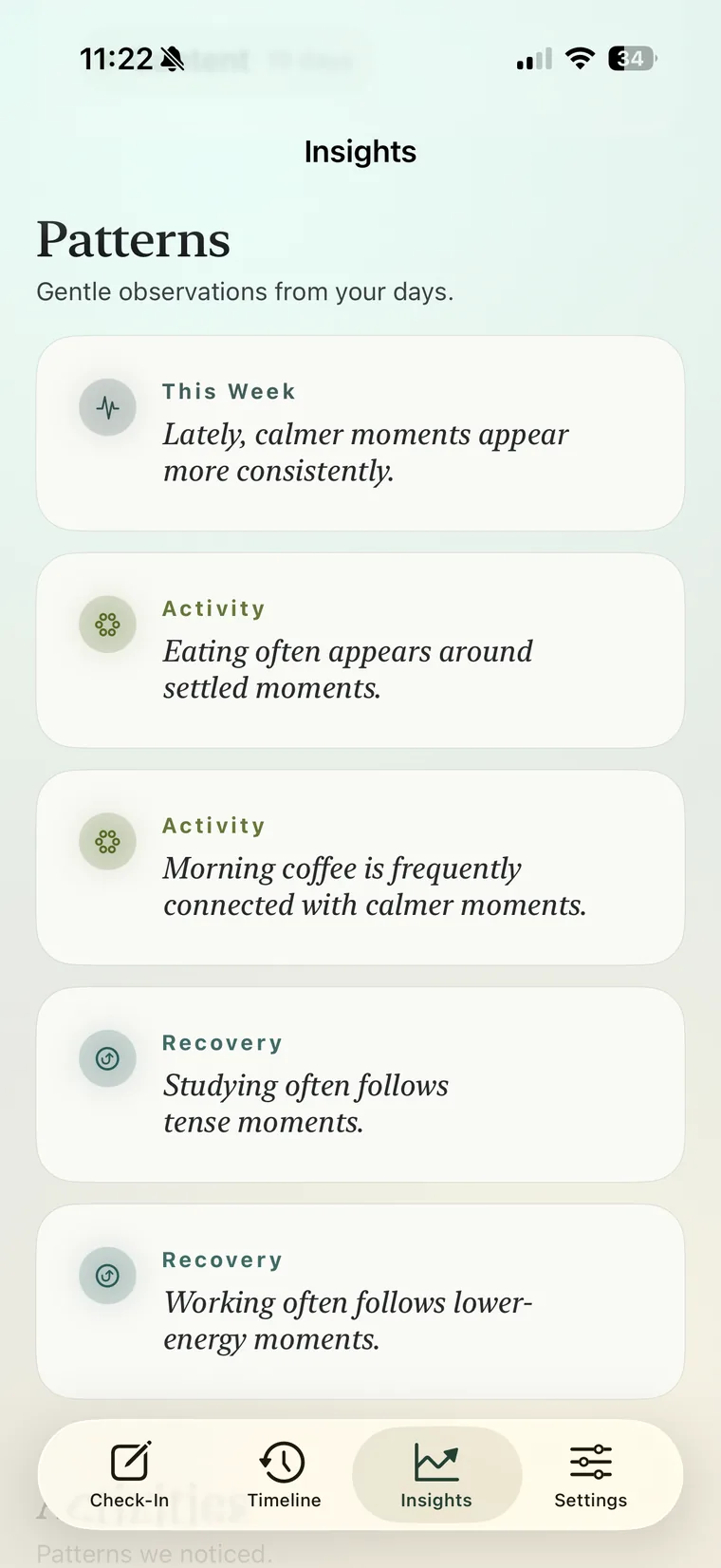
After a few check-ins, Insights begins to notice things — softly, and always in plain language. It never tells you what to do.
Weekly trends
A seven-day chart where each bar's colour is the day's average energy band, and its height is how often you checked in.
Patterns
Up to five soft, observational reflections — tagged by activity, time of day, recovery or the week as a whole.
Activities & time of day
Which activities tend to feel uplifting, and how mornings, afternoons and evenings usually land for you.
Two atmospheres
Made for dusk as much as daylight.
Moments is dark-first. Its Midnight Serenity theme pairs deep obsidian surfaces with soft, neon-inflected accents that glow softly against the dark — calm, premium, never harsh.
Or keep it light and warm. System, Light and Dark are all free.
- Sage glow for your optimal days
- Warm amber for steady, neutral ones
- Soft coral when energy runs low
Moments Plus
Deeper reflection, when you're ready.
A future, optional tier for people who want to look back further. It never changes the daily app — no logging limits, no pressure, no upgrade nags.
Everything you have today stays free, always. Moments Plus isn't available yet — these deeper features are on the way.